


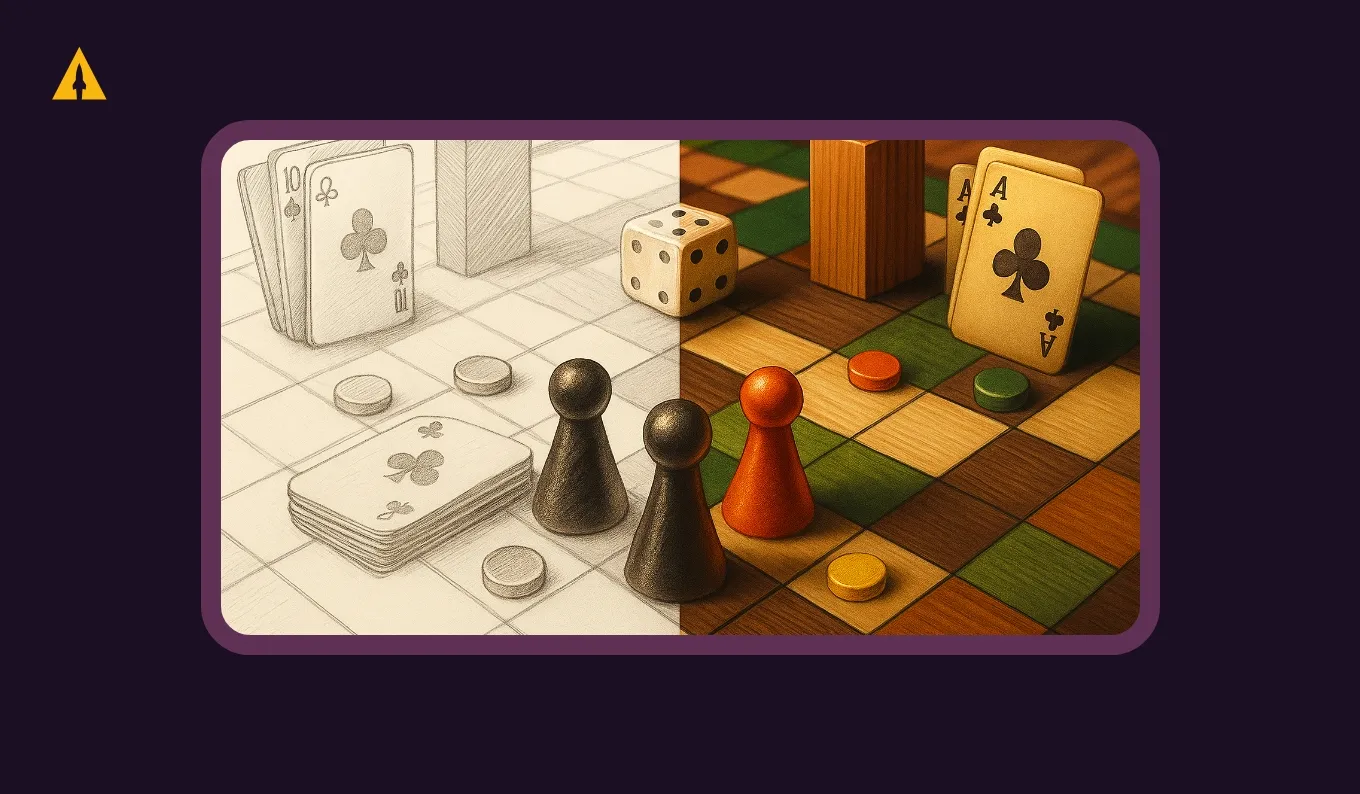
When I was in college I accidentally signed up for a 3D Modeling Course because I needed a random elective to fill a spot in my schedule. The course code looked similar to the graphics and photoshop classes I was interested in and well… I ended up spending an entire semester elbow deep in SolidWorks and 3D modeling in what turned out to be a weed out class for mechanical engineers. Though I did not go on to work in engineering or modeling… I did go on to work in crowdfunding and specifically helping board game creators like you bring their games to life on Kickstarter!
Though I did pass, don’t worry, I didn’t just rely on my one semester of accidental learning to put this guide together. I’ve compiled information from across the industry to share with you what renders are, why they’re important, when you need them, when you don’t and the pros and cons of a DIY vs. a more professional approach.
Whether your physical prototype isn’t production-ready yet or you simply want to showcase your game at its absolute best, learning how to create compelling renders can make the difference between a campaign that struggles and one that takes off.
Prefer a video breakdown? You can watch here:
Key Takeaways
- Understand what game renders are and why they matter for your campaign
- Learn whether you need renders or if high-quality photos will suffice
- Compare DIY vs professional rendering options, including tools and pricing
- Explore how to make the most of game renders across your campaign assets
- Access pro tips for improving render quality and effectiveness
What Are Board Game Renders and Why Do You Need Them?
Renders are digitally created images that show exactly what your board game will look like once it rolls off the production line. We’re talking box shots that pop off the screen, card layouts that look crisp and professional, tokens that gleam just right, game boards that invite you to play, and full table setups that tell your game’s story before anyone even reads the rules.
Unlike photographs of physical prototypes, renders are crafted using 3D modeling or design software. They let you present a polished, professional vision of your game even when all you have are rough prototypes or components that exist only in your imagination.
The magic happens when artists build detailed 3D models of your game components or skillfully assemble 2D assets in software that can simulate realistic lighting, shadows, and textures. Board game 3D rendering creates images so convincing that backers can practically feel themselves opening that box on delivery day.
This is fundamentally different from snapping photos of your prototype. Renders give you complete control over every visual element, from the angle of the light hitting your game box to the exact arrangement of components on a perfectly styled table.
Some Kickstarter campaigns have absolutely nailed this. Take Wingspan. They combined beautiful component close-ups with stylized table setups that perfectly captured their nature theme. Each one told a story before you even clicked “back this project.”
How to Know If You Need Renders for Your Game
So you’re prepping your board game for launch, and you’re wondering, “do I really need renders, or can I get by with what I’ve got?” Deciding whether renders are right for you comes down to your current assets and how you want potential backers to see your game.
When Renders Add Value to Your Campaign
You should seriously consider creating renders for your board game if you want to showcase your game professionally on your Kickstarter or sales pages. If you don’t have a physical prototype yet or your current photos just aren’t cutting it quality-wise, renders can be a game-changer. They’re also perfect when you need marketing images for ads, social media posts, or promotional materials that actually stop the scroll.

Renders really shine when you want to give backers a clear, attractive vision of your final product, especially if your game has complex components or thematic elements that benefit from those carefully staged visuals that tell your game’s story. Understanding how to visualize board game prototypes becomes essential when you’re trying to communicate intricate mechanics or showcase detailed artwork that isn’t physically printed yet. Maybe you’re still refining your component designs, or your theme requires a specific atmosphere that’s hard to capture with basic photography. Perhaps you want those eye-catching hero images that make people stop mid-scroll and actually click on your ad. These are all perfect scenarios for investing in quality renders.
When You May Not Need Renders
You might not need renders if you already have high-quality photos of a physical prototype or final production samples that already look amazing. If your game components are simple and photograph beautifully on their own, you can likely work with what you have. You might also consider skipping renders if you’re working with a super tight timeline and limited budget that makes professional renders impractical, or if you KNOW your backers specifically prefer authentic photos of real gameplay over digitally created images.
If you’re trying to figure out what budget is realistic for you, I highly recommend checking out my deep dive on How Much it Costs to Publish a Board Game.
I’ve seen minimalist card games with clean designs do incredibly well with just well-lit photographs of their prototypes. Sometimes authenticity resonates more than polish, especially if your community values that raw, real connection to the creative process.
Ultimately, it comes down to this: how well can your current assets tell your game’s story and get people excited? If the answer is “not well enough,” then renders might be exactly what you need.
DIY vs Professional Renders: What’s Right for You?
Both paths have their ups and downs, and understanding the costs can help you make the best call for your project and budget.
Creating DIY Renders: Tools, Pros & Cons
DIY rendering works great if you’ve got time and some design skills under your belt. The biggest win? You maintain complete creative control and keep costs way lower. But it requires a real time investment, learning new software, and your results will depend heavily on your experience level.
When I accidentally signed up for a 3D modeling course in college I spent an entire semester questioning my life choices at 3 AM in the library. But software has become way more accessible since then, and so has what you can do with them.
Let me break down some rendering tools for tabletop games and their costs:
Component Studio is usually free or runs about ten to thirty dollars for licenses or premium features. It’s pretty user-friendly for beginners and specifically designed for board game components, which means you won’t be fighting against software built for architecture or product design.
Tabletop Simulator is a one-time purchase around twenty dollars on Steam, and it’s fantastic for creating gameplay scenes. You can set up your game virtually and capture screenshots that show how everything looks in action.
Blender is completely free and open source, though fair warning, there’s definitely a learning curve here. But if you’re willing to invest the time watching tutorials, it’s incredibly powerful software that professionals use for film and game development.
Photoshop is a monthly subscription through Adobe Creative Cloud, but it’s incredibly powerful once you get the hang of it. Even if you’re using other tools for 3D work, Photoshop becomes essential for final touches and compositions.
Canva has a free version that’s surprisingly capable, and their Pro version is a low monthly subscription. It’s perfect for combining renders with text overlays and creating marketing materials.
The DIY route means you’ll be learning as you go, but you’ll also develop skills that serve you throughout your entire campaign and beyond.
Hiring a Professional: Quality, Convenience, and Cost
If you want those polished, photo-realistic images and have some budget flexibility, hiring a professional is often the way to go. Look for 3D artists who have experience with board games or product visualization who will understand exactly what you’re trying to achieve.
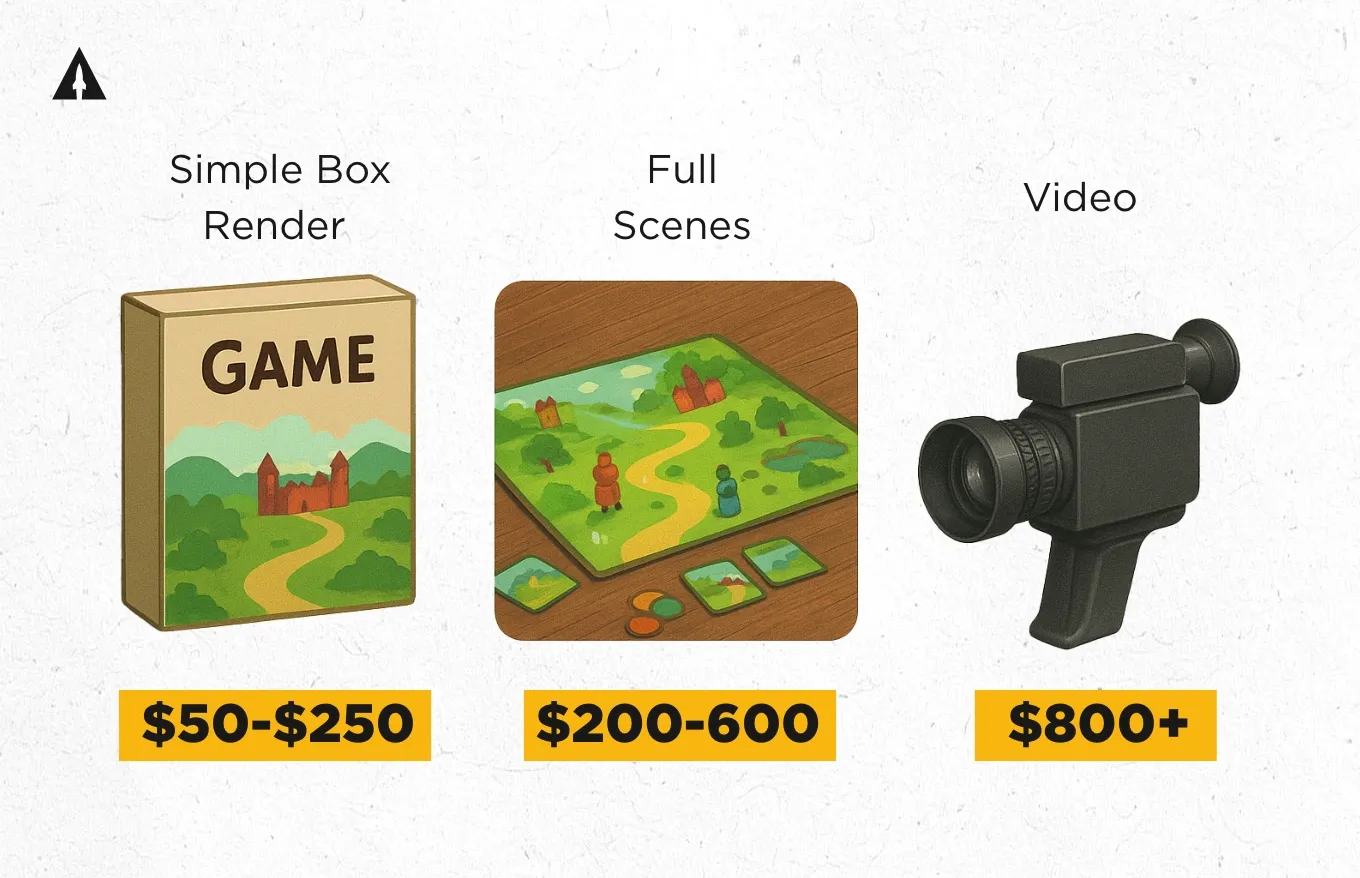
Simple box renders typically run $50-$250. These are your basic hero shots showing your game box from flattering angles with professional lighting. They’re perfect for your Kickstarter header or social media posts.
Full tabletop scenes with multiple components and staging usually cost $200-$600. These are the money shots, the ones that show your game mid-play with cards fanned out, tokens arranged just right, and that perfect overhead angle that makes backers imagine themselves playing.
If you want animated content or video renders, expect to invest $800 and up. These can be worth it for stopping scrollers on social media or creating dynamic content for your campaign video.
Where can you find this talent?
Upwork and Fiverr are solid freelance platforms with artists at every skill and price level. Browse portfolios carefully and look for artists who’ve done board game work before.
ArtStation and Behance are portfolio sites where you can browse work and contact professionals directly.
Don’t sleep on board game design communities either. Discord servers and Facebook groups often have talented artists posting their availability, and they already understand the specific needs of game component mockup design.
When you’re hiring, be clear about what you need. Provide reference images, explain your game’s theme and aesthetic, and discuss how many revision rounds are included. The clearer you are upfront, the happier you’ll be with the results.
The decision between DIY and professional really comes down to your skills, budget, and timeline. If you’ve got the time and want that full creative control, DIY might be perfect. But if you want the highest polish and can invest in quality visuals, hiring a professional will likely pay off big time in the long run.
Best Ways to Use Your Renders for Campaign Success
Renders can be a significant investment of your time or money, so let’s make sure you’re using them effectively. Getting the most bang for your buck helps maximize their impact and makes your entire campaign look polished and professional.
Keep Your Visuals Cohesive and Versatile
Creating renders for your board game isn’t a one-and-done task. You want to create multiple angles and scenes that tell different parts of your game’s story. Don’t just settle for one box shot and call it done.
Think about box shots from different angles. Maybe you need a straight-on hero shot for your main campaign image, a three-quarter view that shows depth and dimension, and a flat lay that works well for ads.
Get close-ups that show off component quality. Let people see the texture of your cards, the detail on your miniatures, the finish on your tokens. Definitely invest in full gameplay spreads that help people visualize actually playing your game.
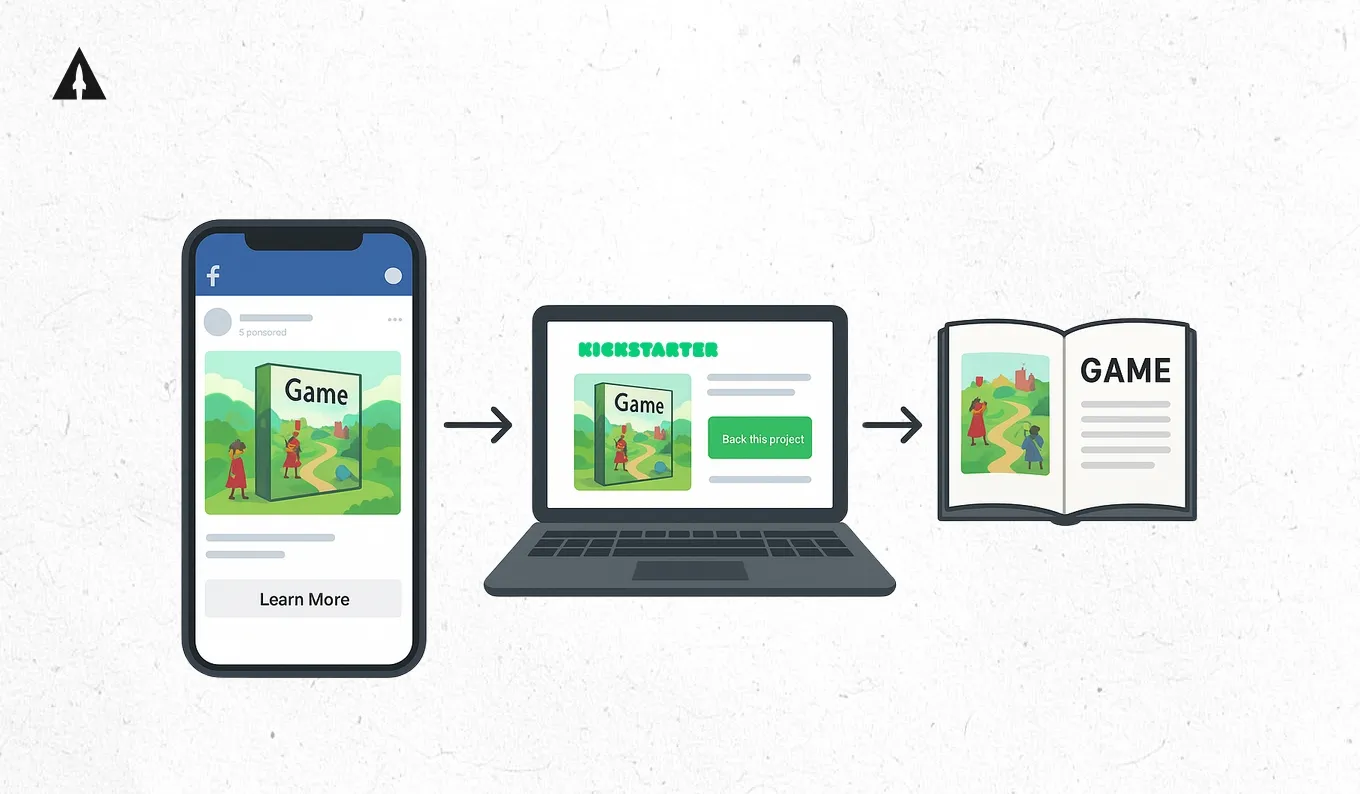
Use your renders consistently across your entire Kickstarter page, in your ads, on social media posts, and even in your rulebook. This creates a cohesive visual experience that builds trust and recognition. When someone sees your ad on Facebook, then visits your Kickstarter page, then joins your email list, they should feel like they’re experiencing the same professional, thoughtful brand at every touchpoint.
Combine your renders with clear, bold overlays to highlight features and game mechanics. Maybe you’ve got an innovative card-drafting mechanism, you show it with a render that has clean text explaining exactly how it works. Your game supports two to six players? Create a version of your table setup render with that information prominently displayed.
Optimize Your Files for Web and Print
Before you launch, make sure you’ve got your file organization dialed in. Keep high-resolution versions for print materials, if you end up doing press kits, convention booklets, or physical rulebooks, you’ll need those crisp, high-DPI files.
But for web use, optimize everything. A gorgeous render that takes ten seconds to load on someone’s phone is a render that never gets seen. Use tools like TinyPNG or Photoshop’s “Save for Web” feature to compress files without noticeable quality loss. Your Kickstarter page should load fast on all devices, and optimized images are a huge part of that.
Test your renders in mock ads or page layouts before committing to them. What looks amazing as a standalone image might not work as well when it’s competing for attention in a Facebook ad or buried in a busy Kickstarter page. I’ve learned this one the hard way, spending hours on a render only to realize it doesn’t work in the actual context where people will see it.
By following these steps, you’re not just presenting your game in the best possible light, you’re building trust and excitement with potential backers. And those are the key ingredients for a successful campaign.
Pro Tips for Stronger Renders That Engage and Convert
Beyond the basics, there are some extra details that can really elevate your renders from good to absolutely compelling.
Lighting and Shadows Matter More Than You Think
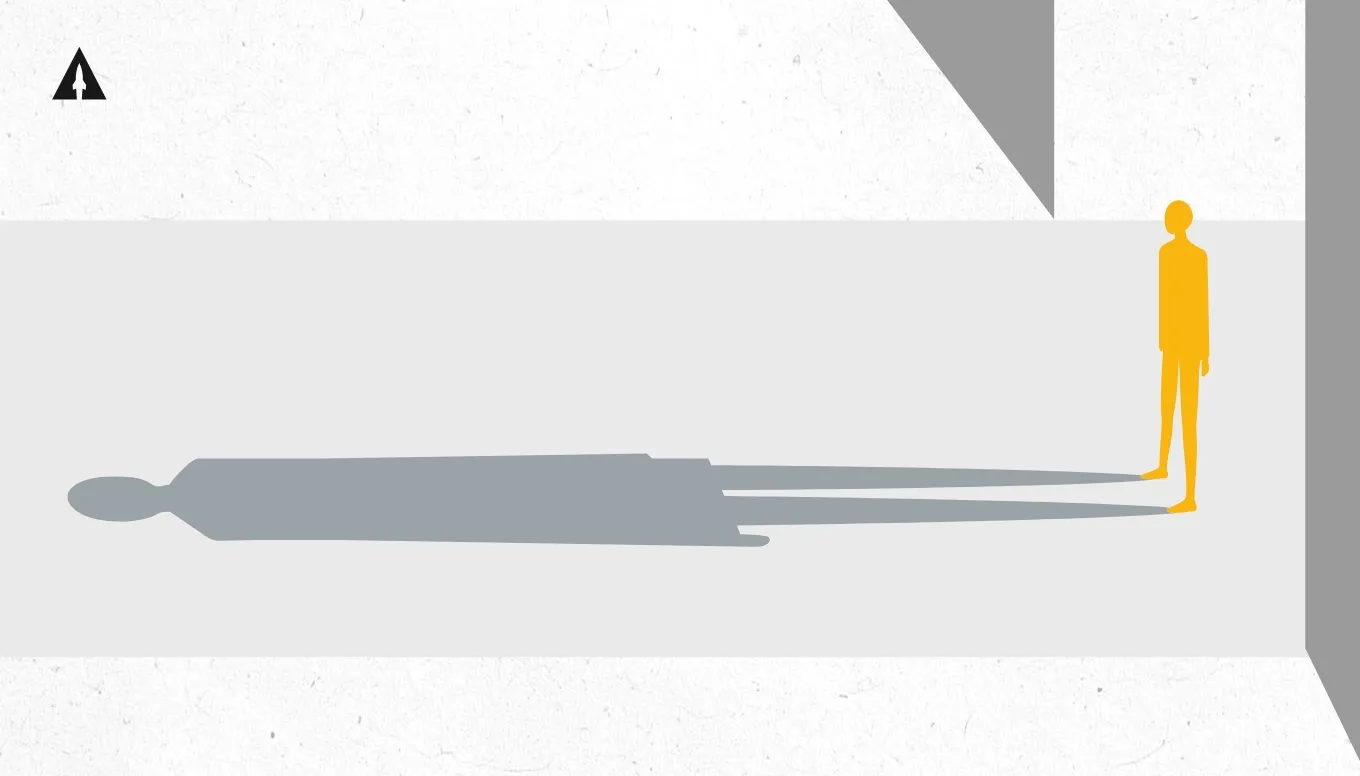
Lighting and shadows are your secret weapons for adding depth and realism. Even the most detailed components can look flat without proper lighting that creates dimension and atmosphere.
Study how professional photographers light products. Notice how they use key lights to highlight important features, fill lights to soften shadows, and rim lights to create separation from the background. When you’re creating renders, whether DIY or briefing a professional, think about what time of day you’re trying to evoke, what mood you want to create, and how light can guide the viewer’s eye to the most important elements.
Shadows ground your components in reality. A game box floating in white space looks digital and disconnected. That same box with a subtle shadow beneath it suddenly feels tangible and real.
Focus on Clean, Purposeful Composition
Keep your scenes focused! Avoid cluttered compositions that confuse the eye. Every element in your render should serve a purpose in communicating what your game is about. If you’re showing a full table setup, think about the story you’re telling. Are cards arranged in a way that suggests an exciting moment of gameplay? Are tokens positioned to show how they’re used? Does the composition lead the eye naturally from one element to another?
Feature intentional perspectives that showcase gameplay or unique mechanics. An overhead shot might be perfect for showing your modular board setup, while a lower angle might better capture the drama of your miniatures. The quality of your digital artwork for board games often comes down to these thoughtful composition choices more than technical rendering prowess.
Add Motion and Animation When Possible
Animated GIFs or short renders capture attention on social media and in emails in ways that static images simply can’t. You don’t need Hollywood-level animation, even simple movements like a slow rotation of your game box or cards being revealed one by one can be incredibly effective. These work great for showing setup sequences or mechanics in action. If your game has a unique card-drafting mechanism, a quick animation showing how cards move from player to player makes it instantly understandable in a way that paragraphs of text never could.
Stay Organized and Always Backup
Nothing’s worse than needing to make a quick change and realizing you can’t find the original file or remember which version was the final one. Create a clear folder structure from day one. Separate your source files from exports, keep different versions labeled with dates, and maintain a master folder with your final, approved renders.
If you’re working with a professional, make sure they deliver source files, not just final exports. You never know when you’ll need to make a tweak for a stretch goal announcement or update your box design.
Back everything up. Use cloud storage like Dropbox or Google Drive so you’re not dependent on a single hard drive. I’ve seen creators lose weeks of work to a crashed computer, and it’s heartbreaking. Save working source files in editable formats for future reuse or updates. That PSD file or Blender project might seem unnecessary now, but six months from now when you’re creating your retail version or designing an expansion, you’ll be grateful you kept it.
Real Examples: Board Games That Utilized Renders
Looking at campaigns that effectively used renders gives us concrete lessons we can apply to our own projects.
Eleven: Premium Modern Product Shots
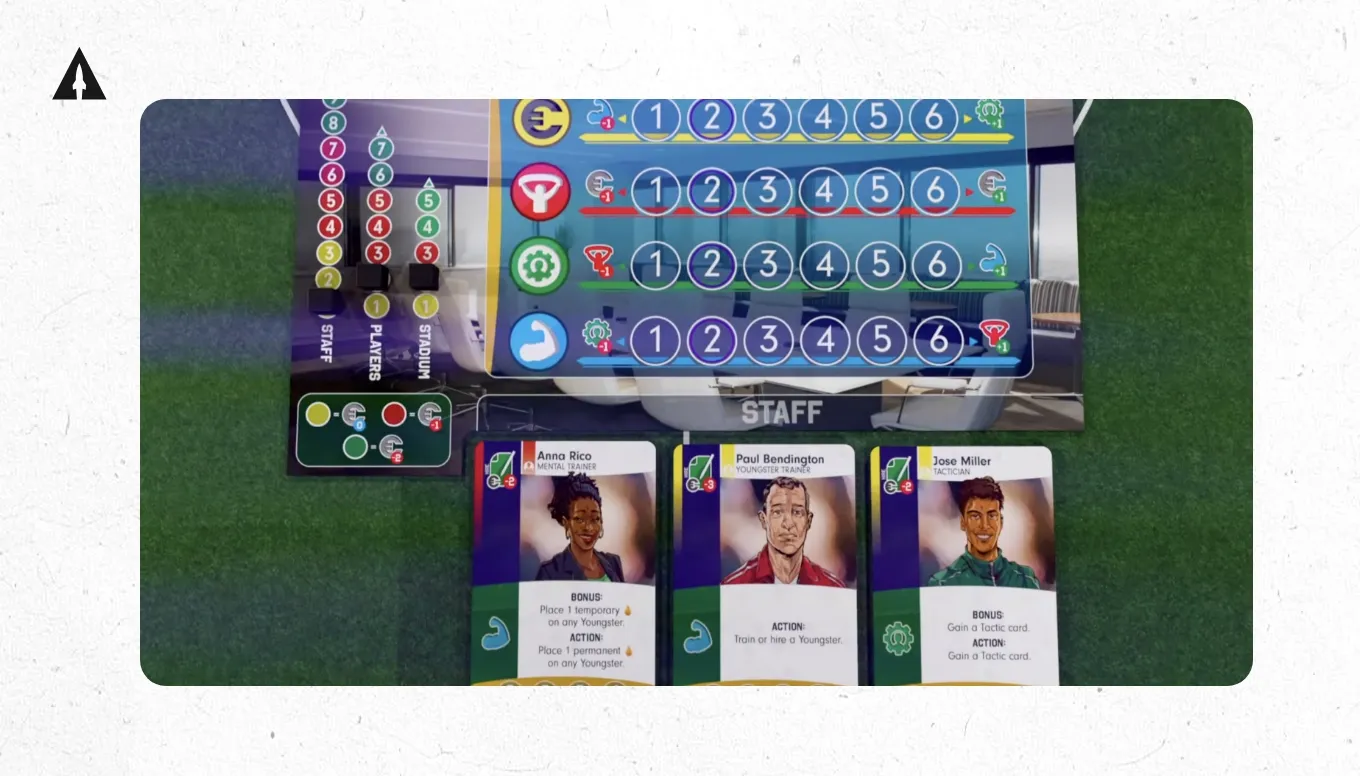
Eleven: Football Manager Board Game took a unique approach with sleek, minimalist box renders that communicated quality and professionalism for a sports manager theme. Their renders were clean, modern, and sophisticated. The lighting was crisp and even, the backgrounds were simple, and every shot emphasized the premium quality of their components. They weren’t trying to create elaborate scenes, they were showing you a product you’d be proud to own.
The takeaway: Sometimes less is more. If your game’s appeal is its elegant design and quality components, let those speak for themselves with clean, professional product shots.
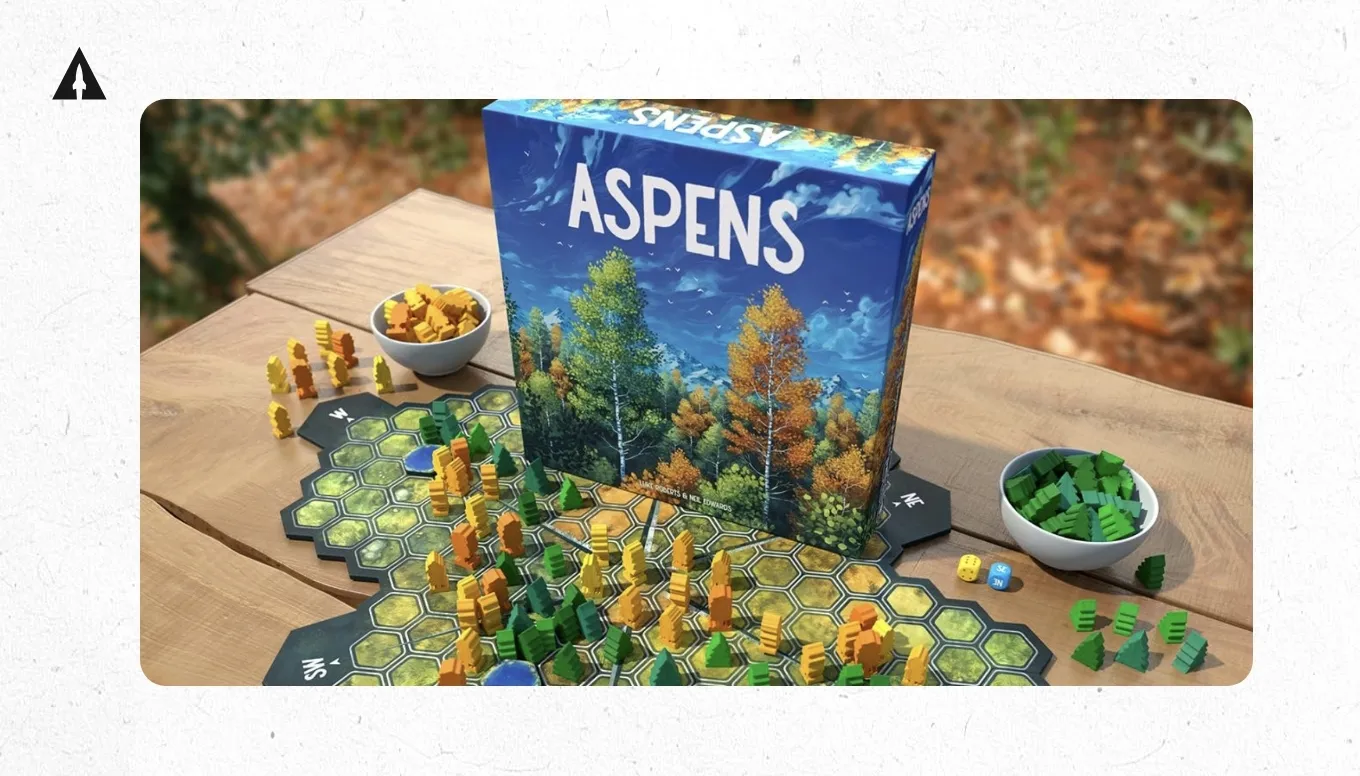
Aspens: A Cozy Strategy Game About Growing a Tiny Forest used warm, painterly renders that instantly communicated the game’s tone: calm, reflective, and nature-inspired. Each image felt like a small piece of art with soft lighting, natural textures, and organic arrangements that evoked the tranquility of sitting under real aspens. The renders weren’t just showing components; they were immersing you in the feeling of growing your own forest.
The takeaway: Match your render style to your game’s emotional core. If your game is cozy or thematic, use lighting, texture, and color to make players feel the atmosphere before they’ve even played a turn.
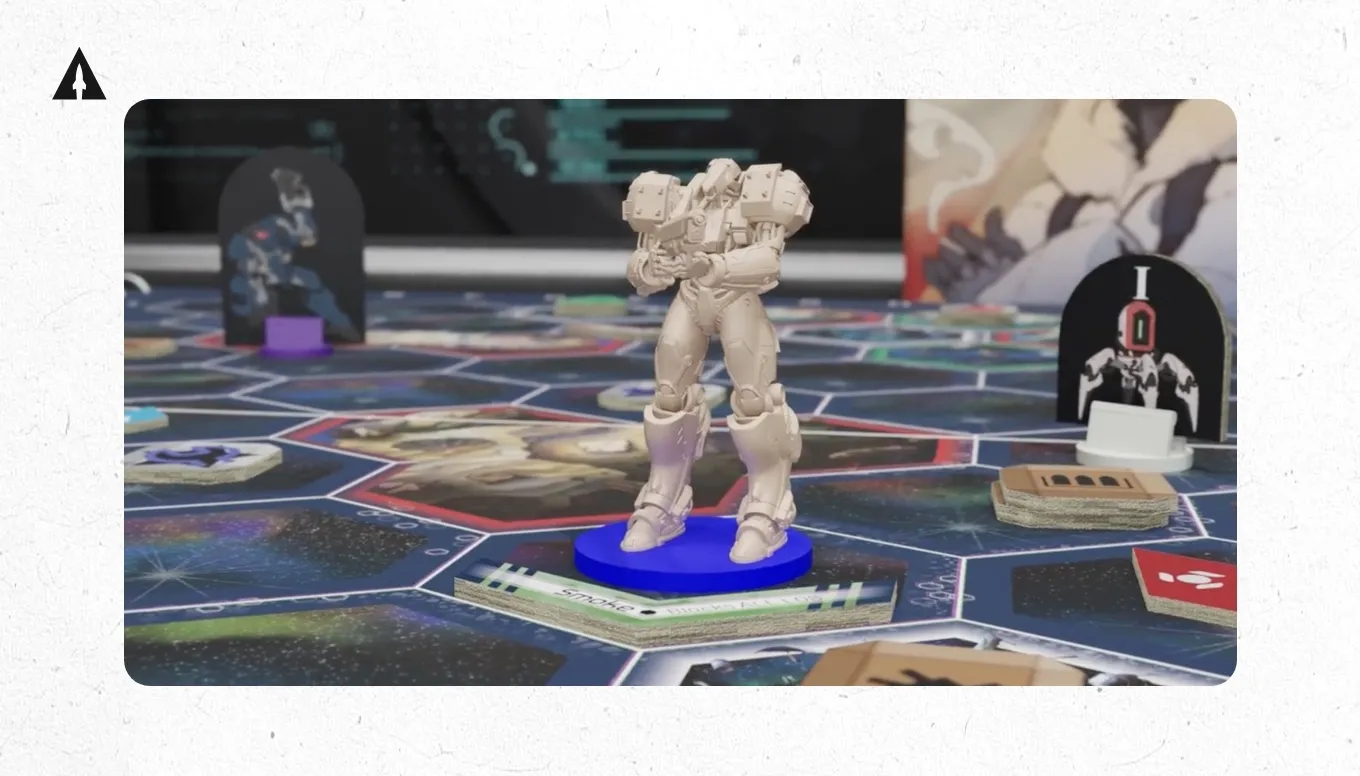
Exo Terra: The Giant Mech Deck-Builder took a different approach with bold, high-contrast renders that used cinematic lighting and dynamic angles. Each shot leaned into the game’s sci-fi energy with glowing effects, metallic reflections, and dramatic perspectives that made the mechs feel colossal and powerful. The renders weren’t just previews; they were movie posters that made you want to pilot one.
The takeaway: If your game is about action or intensity, do not be afraid to go big. Use lighting, perspective, and motion to sell scale and excitement. Your renders can make players feel the adrenaline before they even open the box.
Final Thoughts
Creating renders for your board game is more than aesthetics, it’s a strategic investment in marketing, trust-building, and early momentum. Whether DIY or professional, strong visuals help you connect with your audience from the first scroll.
I’ve watched campaigns succeed or struggle based largely on their visual presentation. Games with compelling renders build momentum faster, attract more media attention, and convert browsers into backers at higher rates. It’s not just about looking pretty, it’s about communicating professionalism, building trust, and helping potential backers visualize themselves playing and enjoying your game.
The investment you make in renders, whether it’s your time or your budget, pays dividends throughout your entire campaign and beyond. These images become the face of your game, the first impression that turns casual browsers into excited backers, and the visual language that carries through to your retail release.
Don’t wait until your prototype is perfect to start thinking about renders. Start exploring your options now, building relationships with artists, or learning the tools yourself. The earlier you integrate visual strategy into your launch planning, the stronger your campaign will be.
Ready to Launch Your Board Game Successfully?
Start exploring render options now, even before your prototype is finalized. The best campaigns begin with strong visual planning, not as an afterthought.
Want to dive into even more visual planning? Check out my article on How to Find and Hire Artists for Your Boardgame.
Want to dive deeper into launching your game successfully? Download your free audio copy of Crowdfunded – the ultimate guide covering everything from attracting backers to managing them and having a successful Day 1 launch.
And if you’re serious about making your board game campaign succeed, you can contact a LaunchBoom expert to workshop your visual strategy and overall campaign approach. We’ve helped hundreds of creators bring their games to life, and we’d love to help you.
Creating Renders for Your Board Game: Frequently Asked Questions
What Are the Best Tools for Creating Board Game Renders?
The best tool depends on your skill level and needs. Blender is free and incredibly powerful, but comes with a steep learning curve. It’s what professionals use for film and game development.
Component Studio offers an accessible entry point specifically designed for board game creators, with templates and presets that make the process faster.
Tabletop Simulator works great if you want to create gameplay scenes and already have your game set up virtually. It’s more about capturing existing setups than building from scratch.
Photoshop and Canva are essential for composition work, combining renders with text, and creating marketing materials, even if you’re using other tools for the actual 3D work.
For beginners, start with Component Studio or Canva to get comfortable with basic composition and design principles. If you want to invest time in learning professional tools, Blender offers unlimited potential once you get past the initial learning curve. Watch tutorials specific to product rendering and board game design to accelerate your learning.
How Are Renders Used Differently Than Photos in Board Game Marketing?
Renders enable visualization at earlier stages of development, often before physical prototypes exist. This is crucial for crowdfunding campaigns where you need compelling visuals months before production.
Renders create thematic cohesion that’s hard to achieve with photography. You have complete control over lighting, backgrounds, component arrangement, and atmosphere. Want your fantasy game to look like it’s being played in a medieval tavern? Renders make that possible. Trying to photograph the same scene would be expensive and complicated.
Renders are also more versatile than static photography. You can easily create variations with different angles, component arrangements, or lighting moods and without expensive reshoots. Need to update your box design after a prototype photo shoot? With renders, it’s a simple file update rather than an entire new photography session.
That said, some audiences prefer the authenticity of real prototype photos, especially in the board game community where showing your actual development process builds trust. The best campaigns often use both! Use Renders for polished marketing materials and prototype photos to show genuine progress and build community connection.
Can I Use Renders in Paid Ads and Kickstarter Campaigns?
Absolutely! Renders are highly effective in digital ads, email campaigns, and headlines on Kickstarter. They often perform better than prototype photos because they show your game at its best and help potential backers visualize the final product.
When hiring artists, make sure you discuss licensing upfront. You need full commercial rights to use renders in paid advertising, on your campaign page, in marketing materials, and potentially in your rulebook or packaging. Most professional artists understand this and include commercial licensing in their pricing, but always confirm in writing.
One important consideration: your renders should accurately depict your expected final product. Don’t show components, quality levels, or features that won’t be in the actual game. Kickstarter requires honest representation, and backers will hold you accountable if your delivered product doesn’t match your campaign visuals. Use renders to show your game at its best, but make sure that “best” is achievable in production.
How Much Should I Budget for Renders in My Launch Plan?
Budget depends on your needs and whether you’re going DIY or professional. For a lean DIY approach, budget around $50-$100 for software subscriptions and learning resources. This gets you Component Studio, a month or two of Photoshop or Canva Pro, and maybe a few quality tutorials.
For professional renders, expect to invest $300-800 for a basic package including box shots, component close-ups, and one or two gameplay scenes. Mid-tier packages with more variety and complexity run $800-$1,500. High-end campaigns with extensive render suites, animations, and video content can invest $2,000-$5,000 or more.
As a percentage of your total campaign budget, aim for ten to fifteen percent on visual assets if you’re hiring professionals. If your total launch budget is $5,000, allocating $500-$750 to renders is reasonable. For larger campaigns with $20,000 budgets, investing $2,000-$3,000 in comprehensive visual assets makes sense.
Don’t forget to budget for revisions. Most professionals include one or two revision rounds, but if you’re iterating on your design, additional changes cost extra. Factor in a ten to twenty percent buffer for unexpected visual needs that come up during campaign planning.
How Long Does It Take to Create Renders for a Board Game?
Timeline varies significantly based on complexity and whether you’re doing it yourself or hiring professionals. Simple renders like basic box shots typically take one to two days if you’re working with a professional who has your assets ready. If you’re doing it yourself and learning as you go, budget at least a week for your first attempts.
A full render suite with multiple scenes, angles, and compositions usually requires one to three weeks. This includes initial concepts, feedback rounds, revisions, and final delivery. Rush jobs are possible but often cost extra and may compromise quality.
Animated render content takes longer, expect three to five weeks for quality animation work. This includes storyboarding, creating the animation, rendering (which can take hours or days of computer processing time), and revisions.
Start conversations with artists or begin learning your tools at least two to three months before your planned launch. This gives you time to iterate, make changes as your design evolves, and ensure your visuals are campaign-ready when you need them.
If you’re doing it yourself, double whatever timeline you initially estimate. Learning new software always takes longer than expected, and you’ll want time to experiment, make mistakes, and improve before you need final assets.
