


After years and years and years of waiting… Kickstarter finally released their much anticipated pledge manager in May 2025.
Since 2013, my company LaunchBoom has helped launch over 1,000 crowdfunding projects and this was definitely the most requested feature.
So now that it’s here, I thought I’d go over the top 8 benefits of using it and then you can decide if it’s the right fit for you.
Also, if you want the video version of this article, check out my YouTube video here:
Key Takeaways
- Kickstarter’s pledge manager eliminates friction by keeping backers on the same platform throughout their entire journey
- Creators can easily upsell additional products and upgrades during the pledge manager process
- The tool automates tax collection for the US, Canada, the UK, and the EU, handling complex compliance issues
- Address confirmation and tracking automation reduce customer support inquiries significantly
- Built-in shipping rate calculations closer to fulfillment dates prevent costly estimation errors
What is a Pledge Manager?
Once your campaign ends, the real work begins. And your pledge manager software acts as your command center to help you navigate this difficult phase.
The easiest way to explain a pledge manager is as software that collects all the information you need from your backers to send them their rewards. We’re talking about information like their shipping address, product variants like colors or sizes, and everyone’s favorite… taxes.
Your backers will go through a series of steps on Kickstarter’s pledge manager where they give you this information or pay their taxes, and then you’ll get all this data so you can fulfill their rewards on time. Think of it as the bridge between a successful campaign and actually getting products into your backers’ hands.
8 Powerful Benefits of the Kickstarter Pledge Manager for Creators and Backers
Now let’s dive into the specific advantages that make this tool so valuable for both creators and their supporters.
1. Less Friction For Your Backers
Pledge managers aren’t new. There are other platforms like BackerKit, PledgeBox and Gamefound which have been helping Kickstarter creators for a really long time.
But because those are other platforms, using them does create some friction for your backers. They have to go off the platform that they originally backed your project on, which honestly can be confusing.
Using the Kickstarter pledge manager will keep the experience for both you and your backers consistent throughout the entire process. No platform switching. No confusion about where to go next.
2. Sell More Stuff
Because you’re already asking your backers for more information, this is the perfect time to ask them if they want to add more products to their order.
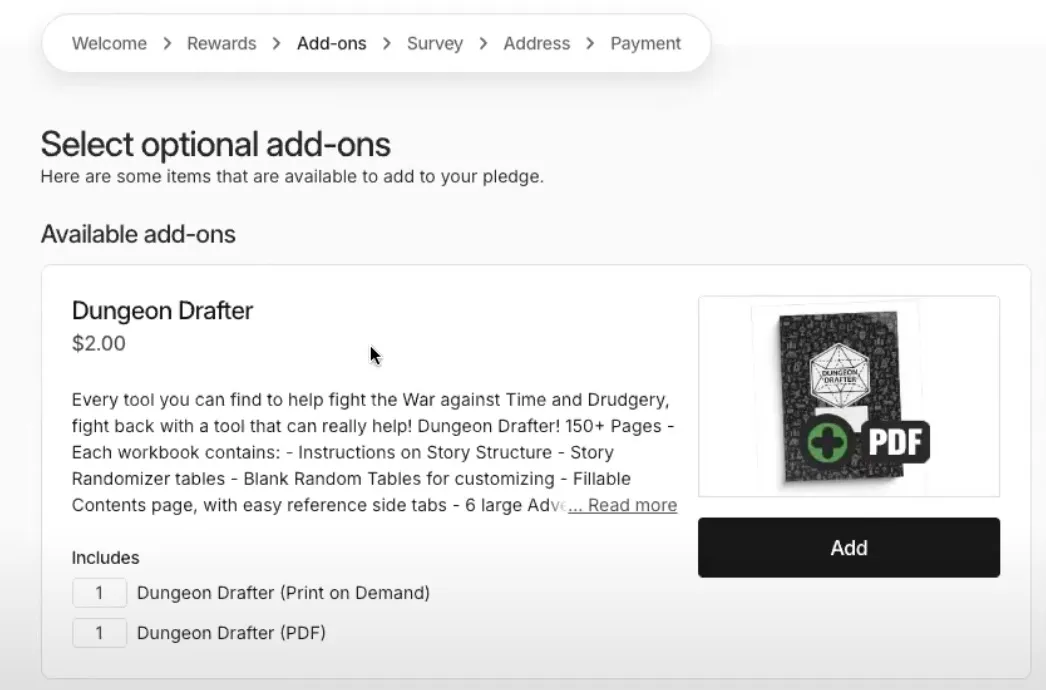
You can easily add different items or make your existing items available to be added to their pledge. Maybe they backed for one t-shirt but now they want three. Maybe they want to add that accessory they were on the fence about.
In more than a decade of helping creators launch their crowdfunding projects, I have never once – and I mean never – seen a creator not sell more stuff in the pledge manager. So it’s kind of a no-brainer to make add-ons available to your backers.
3. Collect Essential Product Variant Info
Let’s say you sold a t-shirt on your Kickstarter campaign that came in small, medium and large. It may seem kind of strange but backers can not choose which size they want when they first back your campaign. But with the Kickstarter pledge manager, you can ask them which variant they want, so that you have all that information you need to go order the correct amount.
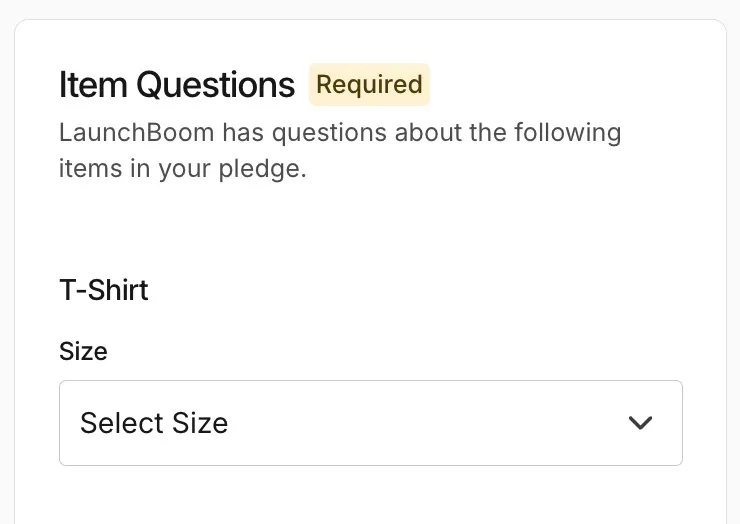
No more guessing how many smalls versus larges you need to manufacture. You’ll have the exact data you need to place your production orders with confidence.
4. Set More Accurate Shipping Rates
It logically makes sense to want to charge shipping right when someone backs your project. But I highly recommend that you do not do that. The main reason why is because you won’t ship your product immediately after someone backs your campaign. For many creators it’s months before they have inventory ready to go.
With the pledge manager you can charge shipping after your campaign ends and I recommend doing it as close to the date that you will actually ship their product as possible.
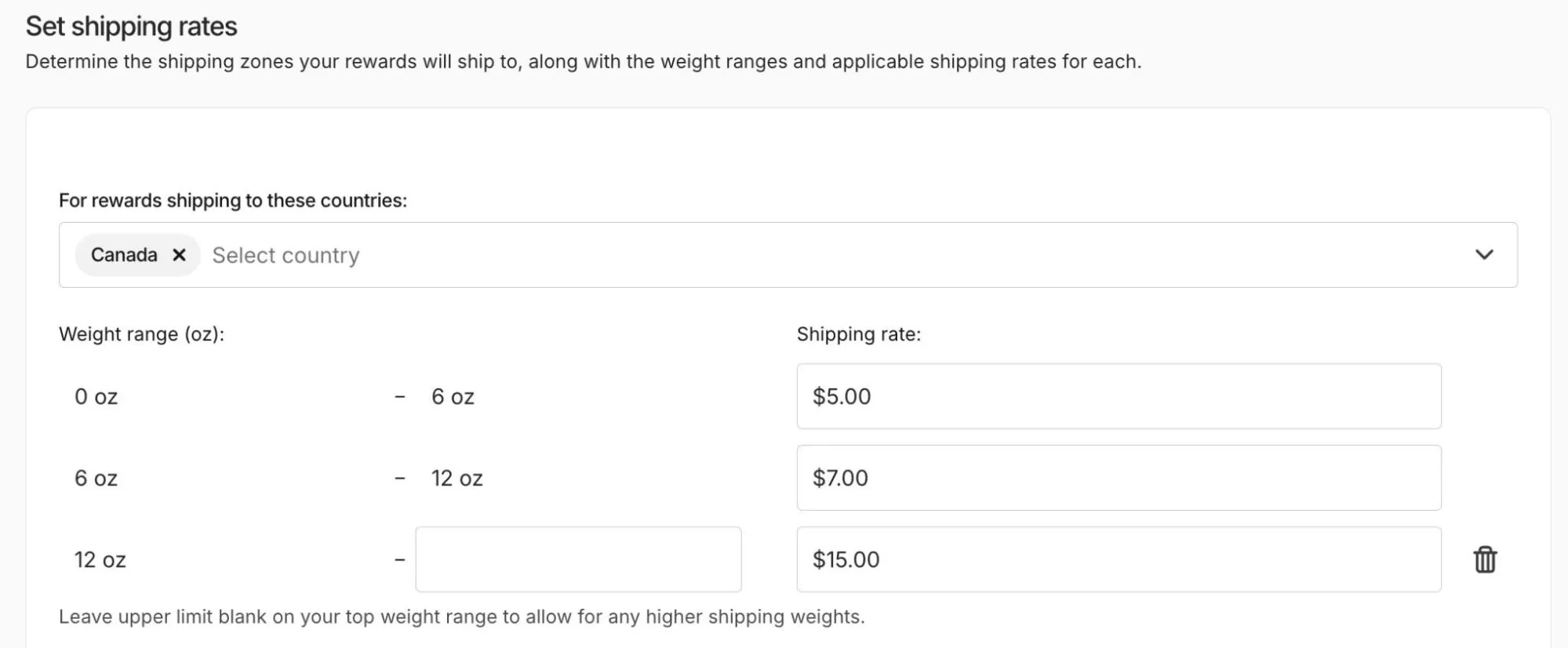
That’s because shipping rates do fluctuate and you want to make sure you don’t lose money on shipping. Which, by the way, happens to creators all the time when they guess shipping costs too early.
5. Automate Tax and VAT Collection
Okay, taxes may not be the most popular subject but they are incredibly important and they can be a huge pain for both you and your backers if not done correctly. Now Kickstarter acts as a “marketplace facilitator” which is just a fancy way of saying that they will both collect and send tax to the proper tax authorities. They do that for US sales tax, Canadian indirect taxes, and UK and EU VAT.
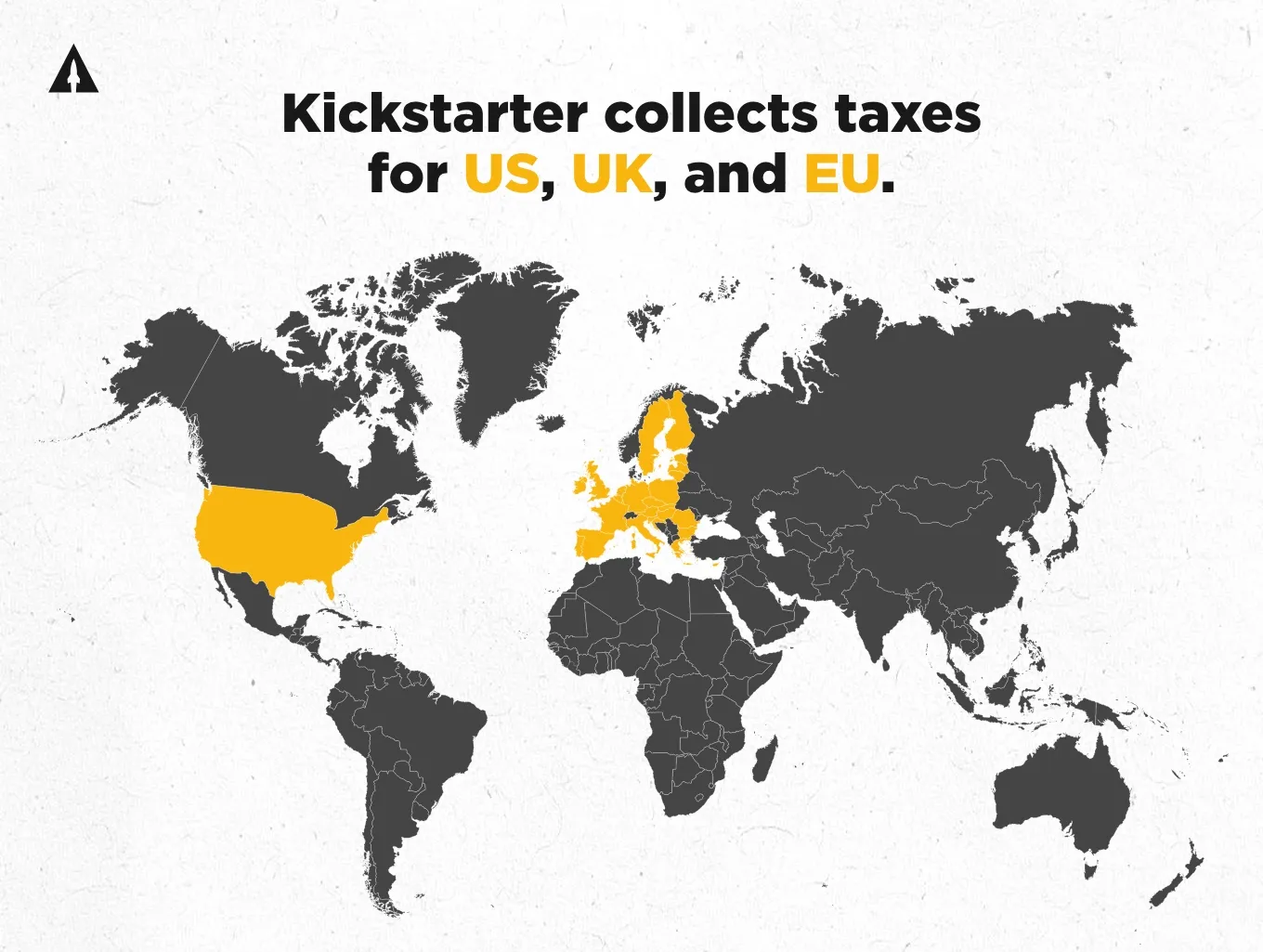
There are some specifics to how it works that I’m not going to get into in this article, so I recommend checking out their help articles if you want all the details. But the bottom line is that this removes a massive compliance headache from your plate.
6. Add Tariff Surcharges If Needed
Tariffs may be an even more unpopular subject than taxes, but Kickstarter’s pledge manager can help. You can easily add tariff surcharges if you want to pass them on to your backers.
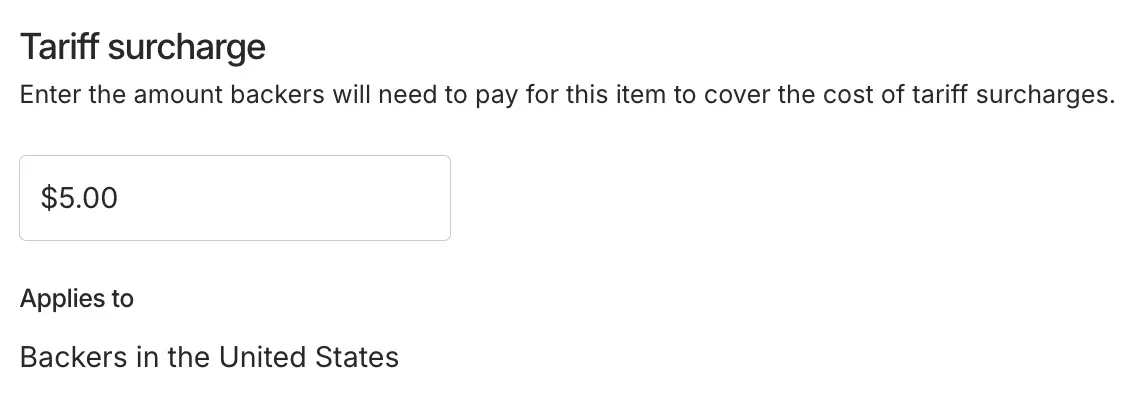
Now, this isn’t something you are required to do, but it can be a handy tool if you have really high tariff costs that you’re dealing with. Especially if you’re manufacturing overseas and shipping to multiple countries. This flexibility gives you options when dealing with unexpected cost increases that might otherwise eat into your margins.
7. Confirm Backer Addresses Before Shipment
Because there is such a long lag between when someone backs your project and when they actually get their rewards, it’s really important to have accurate shipping information from your backers. And it’s very likely that at least one of your backers will move in between the time when they back and when you ship their product. Kickstarter’s pledge manager allows backers to change their address before you fulfill your orders.
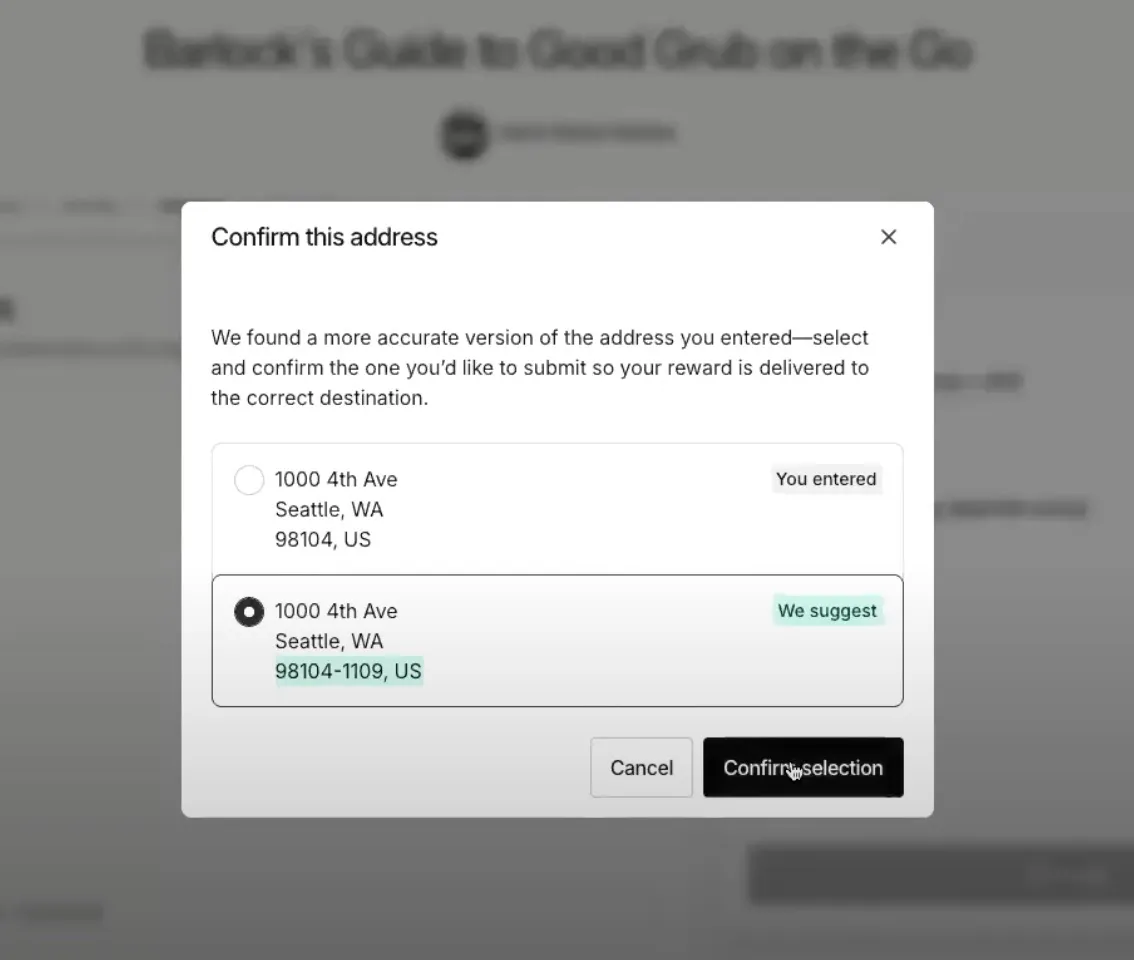
It also will validate your backers’ shipping addresses when they enter it to make sure that they put in their shipping address in the right format. This alone can save you so much headache and money on returned packages.
8. Automatically Send Tracking Numbers
Once you’ve shipped your products, you can upload a CSV to the Kickstarter pledge manager with all of the tracking numbers for your backers.
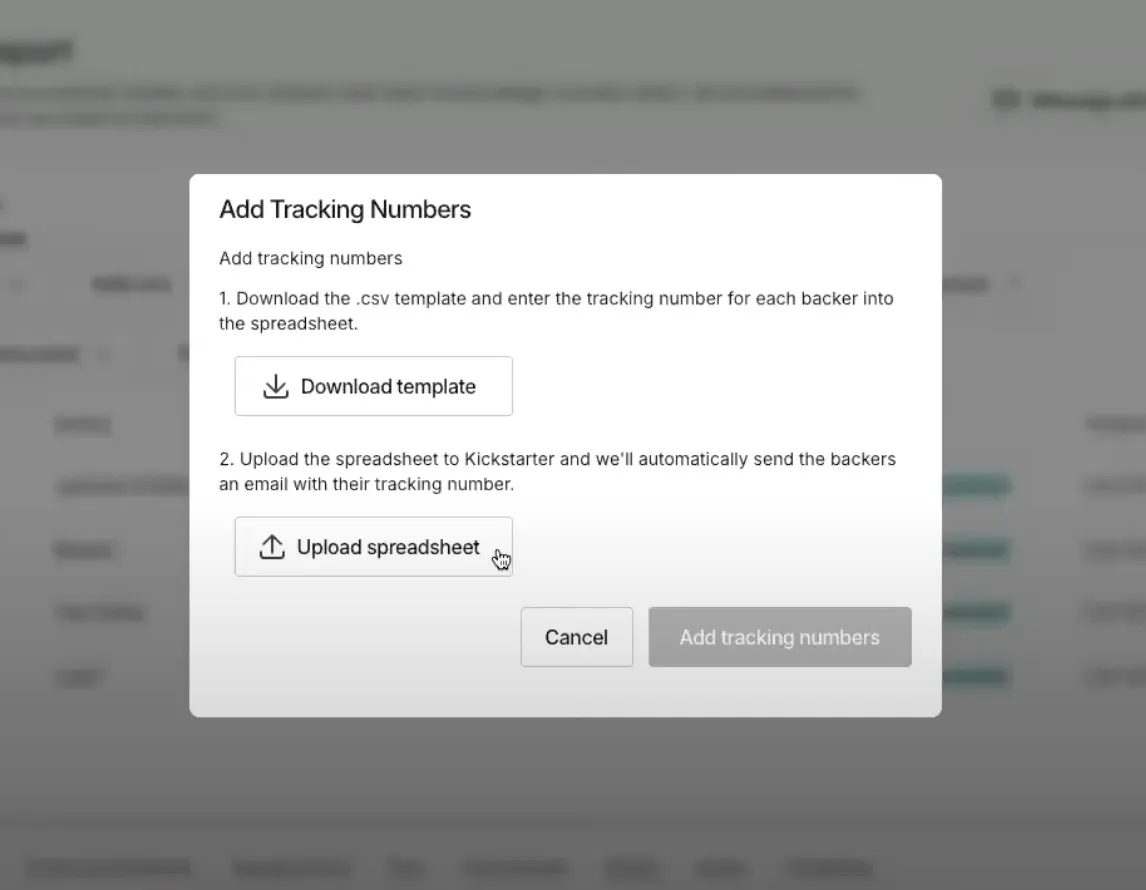
Kickstarter will then automatically send your backers an email with their tracking number so that they are kept in the loop on the progress of their order. This can help reduce the typical “where’s my order!?” messages and make both yours and your backers’ lives easier. No more manually sending individual tracking emails or dealing with constant support requests about order status.
Final Thoughts
Now you know the 8 biggest benefits of using Kickstarter’s new pledge manager. From reducing friction for your backers to collecting accurate shipping info, it’s honestly a very powerful tool.
The fact that it keeps everything within the Kickstarter ecosystem is probably its biggest advantage. Your backers don’t need to learn a new platform or remember another set of login credentials.
If you’re planning a Kickstarter campaign and want expert guidance on leveraging tools like the pledge manager to maximize your success, LaunchBoom is here to help. We’ve helped launch over 1,000 crowdfunding projects and know exactly what it takes to run a successful campaign from start to finish. Reach out to us here and we’ll set up some time to chat about your launch.
Kickstarter Pledge Manager: Frequently Asked Questions
Is Kickstarter’s Pledge Manager Free to Use?
There’s no additional fee to use Kickstarter’s pledge manager beyond what you’re already paying. You’ll still pay Kickstarter’s standard platform fee and the payment processing fees on any transactions that happen through the pledge manager. This makes it cost-effective compared to third-party solutions that may charge their own setup fees on top of Kickstarter’s existing fees.
Can You Use Another Pledge Manager with Kickstarter?
Absolutely. You have the flexibility to choose between Kickstarter’s built-in solution and external platforms like BackerKit or PledgeBox. Staying within Kickstarter is preferable in most cases because it eliminates the friction of moving your backers to a different platform. Unless you need very specific advanced features, Kickstarter’s solution will probably work better for your backers.
When Do You Use a Pledge Manager During a Campaign?
You don’t use the pledge manager during your campaign – it’s specifically for post-campaign management. The pledge manager becomes available after your campaign successfully funds and ends. The typical timeline is: campaign ends → pledge manager opens → backers complete their information → you fulfill orders. This process usually happens over several weeks or months depending on your production timeline.
Does Kickstarter Handle Customer Support Through the Pledge Manager?
Kickstarter provides technical support for the pledge manager platform itself, but you’re still responsible for communicating with your backers about their specific orders and rewards. Think of it this way: Kickstarter handles the technical infrastructure, but you handle the customer relationships. You’ll still need to respond to backer questions about shipping, product variants, and delivery timelines.
